Ask me why a promising automation plan never actually finishes, and it's rarely because the plan was wrong. The plan usually gets shelved somewhere around month two, quietly, for the most reasonable-sounding reason in business: things are working fine right now, so why keep pushing.
The Plan Isn't the Problem. Stopping Halfway Is.
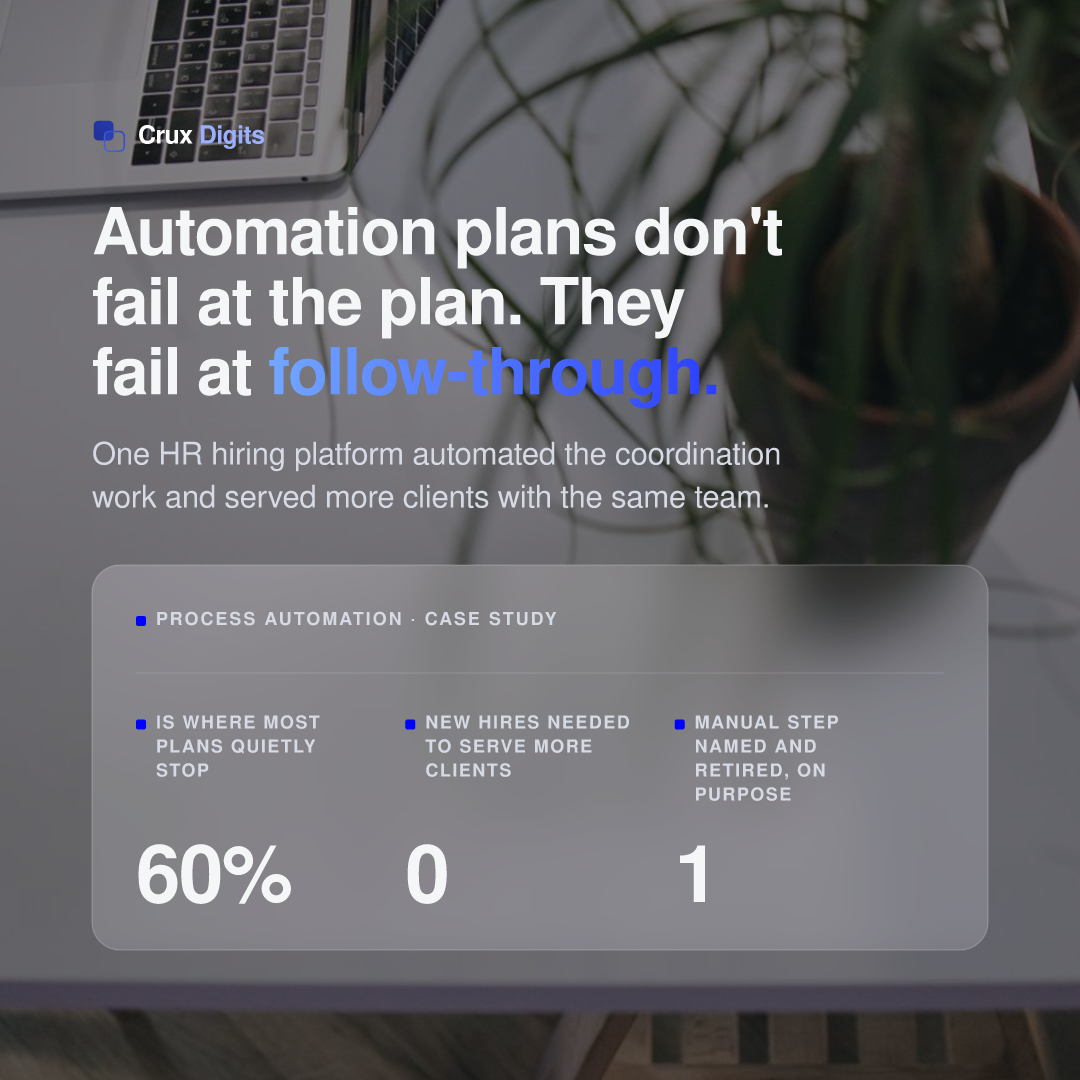
Almost every SME we talk to already has some version of a process-improvement plan sitting in a drive somewhere: a workflow map, a shortlist of tools, sometimes a full proposal from an agency like ours. What kills the value of that plan is almost never bad thinking. It's that the company executes the easy 60%, the part that doesn't disrupt anything, and then quietly stops before the harder, more disruptive 40% that was actually going to move a number. A half-executed automation plan is worse than no plan at all in one specific way: it costs the same planning effort and most of the same budget, and delivers a fraction of the return, while giving everyone involved the comfortable feeling that "we already did the automation thing."
We see this pattern constantly, and it isn't really a technology problem. It's a follow-through problem, and it deserves to be named as one rather than quietly blamed on "bandwidth" or "priorities shifted."
Why "It Works Fine" Is the Most Expensive Sentence in a Growing Company
Here's the trap, and it's a genuinely reasonable one to fall into: cash flow is healthy, the team is hitting its numbers, clients are being served, invoices go out, nobody's complaining. In that situation, the instinct to leave well enough alone is completely understandable: you don't tear up a floor that isn't leaking. But "it works" and "it's not costing us anything" are two different claims, and businesses routinely treat the first as proof of the second.
A manual process that works fine today has a hidden, deferred cost: it puts a ceiling on how much the business can take on before it needs another hire. That ceiling is invisible right up until the moment someone asks "can we take on five more clients with the team we have," and the honest answer is no, not without everyone burning out or quality slipping. At that point the cost of the manual process stops being hidden and becomes the single biggest constraint on growth, and it was there the whole time, just priced in as "normal."
The comfortable-cash-flow trap is specifically about timing. The best moment to finish an automation plan is exactly when things are calm enough that nobody feels forced to. Waiting until the manual process is visibly breaking means building the fix under pressure, usually badly, usually more expensively, and usually a full growth cycle later than it should have happened.
The Real Signal Is the Query Itself
Something worth saying plainly: we get a steady stream of inbound questions about Excel automation and general workflow automation, and the pattern behind those questions is more interesting than the questions themselves. Almost nobody asks "should we automate this" when the business is actually struggling. They ask when the business is doing fine on paper and somebody inside it (often the founder, sometimes an ops lead) has personally hit the wall of a spreadsheet that's grown fifteen tabs past what it was designed for, or a weekly ritual of copying the same numbers between three systems by hand.
That personal friction is the most reliable signal we see, more reliable than any audit or maturity assessment, because it means someone with authority to act has already concluded, on their own, that there's room for improvement. "Just because something works doesn't mean there's no room for it to work better" sounds like a platitude until you've watched a business owner describe, unprompted, the exact three hours of their week they'd like back. That description is usually a better starting brief than a formal requirements document, because nobody had to be convinced to write it.
If you've caught yourself opening a spreadsheet you built two years ago and thinking "there has to be a better way to do this by now," that thought is the signal, not a distraction from real work. It's worth writing down and coming back to, rather than closing the tab and moving on, which is what happens to it about ninety percent of the time.
What "Excel Automation" Usually Actually Means
When someone asks us for "Excel automation," they rarely mean what the phrase literally says. Almost nobody wants macros for their own sake. What they're describing, once you dig one layer down, is a spreadsheet that quietly turned into their company's database (client records, pricing rules, status tracking) without ever being built to behave like one. It has no real validation, so bad data creeps in silently. It has no concurrency handling, so two people editing it at once means someone's changes vanish. It has no audit trail, so nobody can say with confidence which version is the real one by Friday afternoon.
The fix is rarely "better formulas." It's usually recognising that the spreadsheet has outgrown the format it's in, and that the actual request is for a proper lightweight system: a real data layer with validation and a single source of truth, a workflow layer on top that moves records through stages automatically, and an interface simple enough that the same non-technical people keep using it without a training programme. That can be a no-code tool, a small custom build, or something in between, and the honest answer depends entirely on how much real business logic that spreadsheet has quietly accumulated over the years it's been patched and extended by whoever needed something added that week.
What End-to-End Execution Actually Looks Like
"Automate the process" is not a single step, and treating it as one is exactly how plans stall at 60%. In practice it's three distinct decisions, and skipping any one of them is how a rollout ends up half-finished.
The first is mapping the actual process as it's really done: not as the org chart says it's done, but the specific clicks, copy-pastes, and exceptions a person handles today, including the messy edge cases nobody wants to admit are the majority of the work. Most automation efforts stall right here, because the map that gets used is the tidy, aspirational one instead of the real one, and the automation built on the tidy version breaks the first week someone feeds it a real edge case.
The second is choosing the right layer for what you're automating, and this is where "keep going" or "stop here" gets decided in practice. A connector-based no-code tool (an n8n, a Make, a Zapier) is the right, fast, low-cost answer when the task is moving data between systems that already have APIs and the logic is genuinely simple. We've written a longer comparison of n8n, Make and Zapier for exactly this decision. Custom software becomes the right answer once the workflow has real business logic in it: approval chains, client-specific rules, anything where a no-code tool would need to be bent into a shape it wasn't built for. Picking the low-cost, fast option when the logic actually needed custom software is one of the most common reasons a rollout looks "automated" on a slide and still runs half-manually in practice.
The third is the one most plans skip entirely: deciding, explicitly, which manual step disappears and who is accountable for making sure it stays gone. A tool that gets bolted on as an optional extra, without a specific step being retired, quietly loses to habit within a month. That is the same adoption pattern we've written about at length elsewhere, and worth reading if this is the part your last rollout got stuck on. We've mapped out which processes to automate first and in what order in more technical detail, including where AI genuinely beats traditional RPA and where it doesn't.
An HR Hiring Platform That Felt Behind in the AI Era
One client conversation from this year sticks with me because it captures the "it works fine, but…" pattern almost perfectly. An HR hiring platform came to us not because anything was visibly broken: their business was healthy, their clients were served, revenue was fine. What brought them to the table was something closer to a feeling than a problem: everyone in the AI era seems to be moving faster, and their own operations, while functional, still leaned on a lot of manual coordination between recruiters, spreadsheets and their existing platform. They weren't behind their competitors in any measurable way yet. They were worried about being behind in six months if they didn't act while things were still calm enough to do it properly.
That's a healthier reason to start a project than a crisis, and it showed in how the engagement went. We mapped the real workflow: how a recruiter actually moved a candidate from application to placement across the tools they were using, including the manual reconciliation steps nobody had written down anywhere. Then we built a software automation layer around the specific handoffs that were eating the most recruiter time and, more importantly, the most account-manager time per client relationship. This wasn't a chatbot bolted onto their homepage; it was infrastructure that sat underneath the work recruiters and account managers were already doing, connecting to the platform they already had rather than replacing it. It's a related but distinct problem to the manual back-and-forth we've written about in scheduling interviews: same underlying pattern of coordination overhead quietly capping how much a small team can carry, different part of the hiring workflow.
What Changed, Without Adding Headcount
The result we care about most isn't a flashy demo. It's what happened to their capacity. The same team that used to be stretched managing their existing book of clients is now able to take on meaningfully more accounts and client relationships without the business needing to hire to match. The specific coordination work that used to eat a recruiter's or account manager's time (the manual status-chasing, the repeated data entry across systems, the reconciliation that used to happen at the end of every week) is now handled by the system, which means the humans on the team spend their time on the parts of the job that actually need a person: relationship-building, judgment calls, the conversations that make a placement work.
That's the outcome we think matters more than almost any other automation metric: not "we built something," but "the same group of people can now serve more clients well." It's also, not coincidentally, the same test we'd encourage any business to apply to its own stalled automation plan: not "did we finish the project" but "can the team we already have now take on more than they could before."
Three Questions to Ask Before You Call Your Plan "Done"
If you have a process-improvement or automation plan sitting half-finished, these are the three questions worth asking before deciding it's actually complete.
- Which specific manual step disappeared, and can you name it? If the honest answer is "we added a tool but the old spreadsheet is still how people actually check things," the plan isn't done. It's parked.
- Could the team take on more work today than they could a year ago, with the people they already have? If capacity hasn't visibly moved, the automation happened on paper more than in practice.
- Would anyone notice if the automated version quietly broke tomorrow? If the answer is "probably not for a while," that's the clearest sign the workflow never actually became dependent on it. That usually means it never became the primary way the work gets done.
Where to Start
If your team keeps circling back to the same spreadsheet with the same "there has to be a better way" feeling, that instinct is the actual brief: write down the specific three hours a week you'd want back before you write down anything else. We've laid out realistic ranges for what custom software development costs in the Netherlands if you're deciding between a no-code fix and something built specifically around your workflow, and if you're earlier than that and just want to talk through whether this is worth finishing properly, that's the conversation we start with at Crux Digits.
AI automation for SMEs: the audit prices the saving and payback per process, then we build the first process as a Production-ready MVP.
AI automation for business →