Home / AI assistant for heat pump brands
Heat pump brands, importers and installer networks

An AI assistant for heat pump brands and their installers

An AI assistant answers fault codes, commissioning steps and parts questions from a heat pump brand's own manuals, service documentation and parts catalogue. Homeowners, installers and new service staff ask it on the website, WhatsApp or the installer portal.

A homeowner with a code on the display searches for it before calling anyone. An installer at a commissioning visit rings your technical line while the customer watches. Both answers are already in your documentation. Here is how an AI assistant gives that answer, and where it stops.

By Tom Joseph · Last updated: 28 October 2026

Summarize with AI Prompt copied. Paste it into the chat
Share
In short

A heat pump brand already holds the answers its callers need: in the error-code list, the user manual, the installation and service manuals, the commissioning guide and the parts catalogue. An AI assistant reads those documents and serves four groups: homeowners searching a fault code, installers on a job, the parts counter matching a part to a serial number, and new staff learning the range. A public agent gets the user documentation only; a second agent behind the installer login gets the service documentation. SimplyBoost, our own product, does this from your documents on website chat and WhatsApp.

Examples

Five questions this assistant answers in a heat pump network

Who asks what

Who asks what, answered from which document

Who asksWhat they askAnswered from
Homeowner with a code on the displayWhat the code means and which checks they may doError-code list per model, user manual, warranty conditions
Installer in your networkWhich outdoor unit, indoor unit and controller belong togetherCompatibility table, installation manual, hydraulic diagrams
Technician at a commissioning or service visitParameter values, the commissioning order, a fault that returns after the standard checksCommissioning guide, service manual, technical bulletins
Parts counterWhich part fits this model, serial number range and production yearParts catalogue, exploded views, a CSV of part numbers per serial range
New staff in the service desk, parts or salesHow the current generation differs from the last one, where a procedure is written downThe same documents, through an internal agent
Technician helpdesk

A technical helpdesk for installers on the job

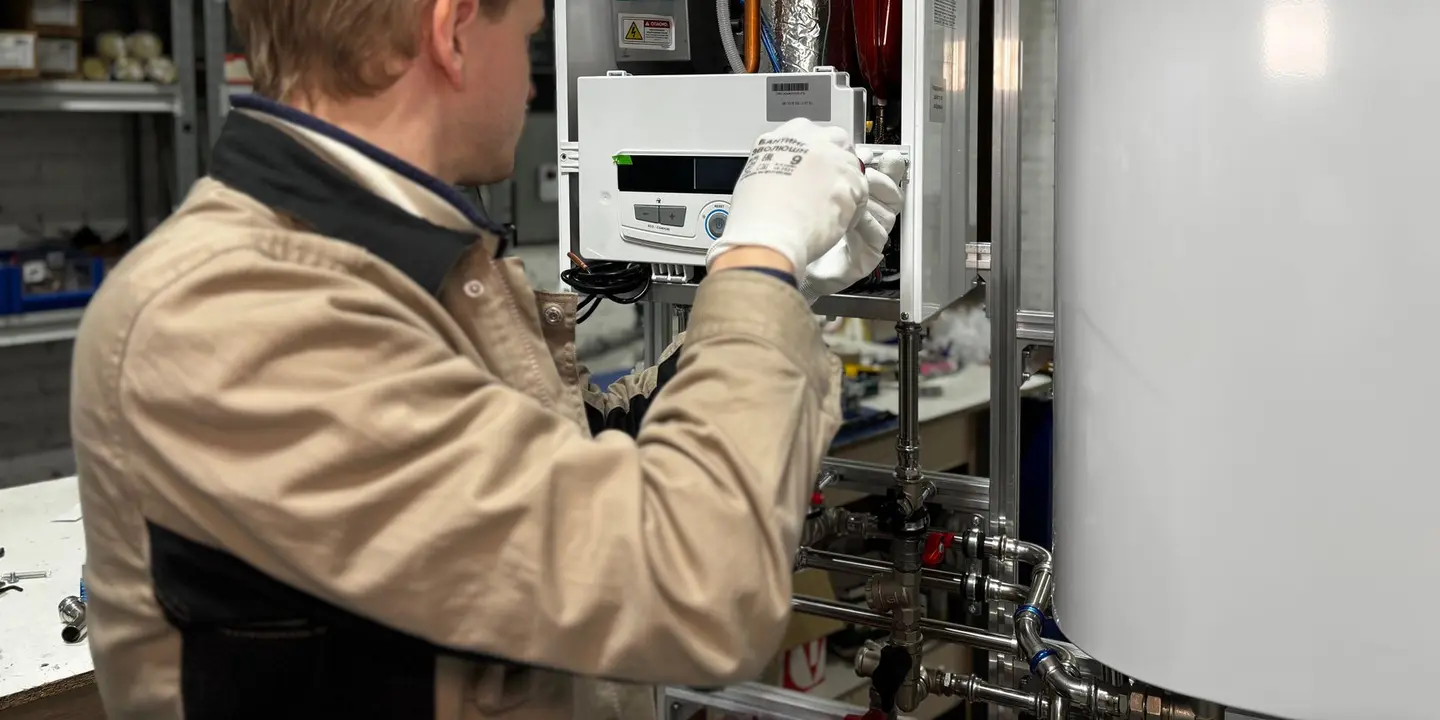
Installers ring your technical line during a commissioning visit, with the homeowner watching, and many calls end with someone reading a page of the commissioning guide aloud. An assistant on a WhatsApp Business number, or behind the login of your installer portal, gives that answer directly, such as the minimum flow rate through the hydraulic module or the parameter order for a hybrid set, and names the document and chapter.

Installers who log in to the portal are recognised by their verified email address, so service documentation stays behind the login and the public agent holds user manuals only.

Where your documents are silent, the assistant says so and hands the question to your second-line engineers in Zendesk, Freshdesk, Gorgias or Slack, with model, serial number, code and the full conversation. Installers in Flanders, Wallonia or Germany get the answer in Dutch, French or German.

Parts

Parts questions matched to model, serial number and year

A heat pump range changes under the same model name: a revised controller board, another expansion valve after a production change, a new fan motor. The assistant answers from your parts catalogue, the exploded views and a CSV that maps part numbers to model, serial number range and production year. It asks for the serial number from the type plate before it answers, because the model name alone is often not enough.

When an installer wants to order, the assistant collects the part number, serial number, quantity and the installer's details, and hands the request to your parts team. It does not place the order, check stock or quote a dealer price. That lives in your ERP, which is the custom route below.

Training

New staff learn from the same knowledge base

The first heating season is hard on a new service desk employee. In the first frost week the questions about steaming outdoor units and cold upstairs rooms all go to the most experienced colleague, the person installers are waiting for.

Each SimplyBoost account includes three AI agents. A common split for a heat pump brand is one public agent with user documentation, one installer agent with service documentation, and one internal agent for your own team. New staff in the service desk, at the parts counter or in sales ask the internal agent what they would otherwise ask a senior colleague. Every answer names its source document, so they learn where the knowledge lives while they work.

What senior engineers know but never wrote down is the gap: ask them for a short FAQ of their most common answers and upload it.

Two routes

SimplyBoost or a custom build

What the question needsRouteWho owns what
Meaning of a fault code, first checks, heating curveSimplyBoost, our own product, from error-code lists and user manualsBrand: keeps the documents current per model
Commissioning, hydraulics and compatibility for installersSimplyBoost, an installer agent behind the portal login or on WhatsAppBrand: decides which documents installers see
Which part fits a serial number rangeSimplyBoost, from the parts catalogue and a part-number CSVBrand's parts team: maintains the CSV
Stock and dealer price for that partCustom build that reads the ERPIT partner runs the ERP; Crux builds the integration and hands over the code
Warranty status of a registered unit, a technician's visit in the service planningCustom build on the warranty system, serial-number registry and planningIT partner keeps those systems; Crux builds the AI layer alongside them
Which route fits your questionsAI customer service for dealer networks: buy or buildCrux works alongside your IT partner, never in its place
Rules in NL and Flanders

The rules the assistant has to get right

Other trades

The same approach in other dealer networks

FAQ

Frequently asked questions

Can installers use it while they are on a job?

Yes. Installers ask the installer agent on WhatsApp or in your portal while they stand at the unit, and it answers from your commissioning guide, service manual and technical bulletins, naming the chapter. If the documents do not cover the question, it goes to your second-line engineers with model, serial number and the conversation.

Can it tell which spare part fits a unit?

Yes, when you upload the parts catalogue, the exploded views and a CSV that links part numbers to model, serial number range and production year. It asks for the serial number from the type plate first. An order request is collected and handed to your parts team; stock and dealer prices stay in your ERP.

How do new service desk staff use it?

They ask the internal agent the questions they would otherwise put to a senior colleague: what a fault code family means, how a controller menu works, which parts changed between generations. Each answer names its source document, so they learn the documentation while they work. Your senior team adds what is not yet written down.

Should we choose SimplyBoost or a custom build?

Choose SimplyBoost when the answers are in documents: fault codes, manuals, commissioning guides, parts catalogues. Choose a custom Crux build when the answer has to come from a live system, such as stock in the ERP, warranty status in a claims system or a serial-number registry. The custom route runs in three fixed steps, starting with a €2,500 AI audit.

Will it tell a homeowner to open the outdoor unit?

Not when you set it up with two agents. The public agent holds only the user manuals, which list the checks a homeowner may do. Installation and service manuals sit with the installer agent behind the portal login. Refrigerant work is reserved for certified people in the Netherlands and in Flanders, so the public agent refers homeowners to an installer.

Find the questions your service desk answers twice

Plan a free consultation. We look at which questions your documents already answer and which ones need your live systems.

Book a free consultation →